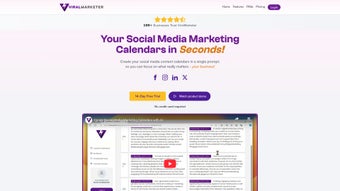

Download ViralMarketer – AI‑Powered Social Media Planner & Scheduler
Overview: Why ViralMarketer Is a Game‑Changer for Modern Social Media Management
In today’s fast‑moving digital landscape, agencies, small businesses, and influencers are constantly hunting for tools that can keep up with the pace of content creation, audience engagement, and performance analytics. ViralMarketer answers that call with an AI‑driven engine that not only streamlines the planning phase but also automates the execution of social media campaigns across multiple platforms. The web‑based application is built around the concept of “brand‑focused content,” meaning every post is generated with your unique voice, tone, and visual identity in mind. Whether you’re a marketing agency juggling dozens of client accounts, a boutique shop that needs a consistent posting schedule, or a creator looking to stay ahead of trending topics, ViralMarketer provides a single, secure hub where you can craft, schedule, and analyze every piece of content.
The platform’s subscription model grants unlimited access to AI‑generated post ideas, a built‑in research engine that scours the web for relevant industry news, and an intuitive calendar that visualizes your entire content strategy at a glance. Moreover, its analytics dashboard surfaces key metrics—such as engagement rate, reach, and optimal posting times—allowing you to make data‑driven decisions without leaving the app. By integrating brand guidelines, audience segmentation, and platform‑specific best practices, ViralMarketer eliminates the guesswork that typically plagues social media planning.
From a security standpoint, the tool follows industry‑standard encryption protocols for data in transit and at rest, ensuring that client information, login credentials, and campaign details remain confidential. Regular updates are pushed automatically, meaning you always have the latest AI models and platform integrations without manual intervention. In short, ViralMarketer is designed to be a “set‑and‑forget” solution that reduces the time spent on repetitive tasks while boosting the quality and relevance of every post you publish.
Key Features That Set ViralMarketer Apart
- AI‑Generated Post Ideas: Harness natural language processing to receive context‑aware captions, hashtags, and calls‑to‑action tailored to your brand voice.
- Smart Calendar & Scheduling: Drag‑and‑drop interface for planning weeks or months ahead, with automated posting to Facebook, Instagram, Twitter, LinkedIn, TikTok, and Pinterest.
- Brand‑Focused Content Creation: Upload brand guidelines (logo, color palette, tone of voice) and let the AI adapt each post accordingly.
- Web‑Based Research Engine: Real‑time scanning of industry news, competitor activity, and trending topics to keep your feed fresh and relevant.
- Multi‑Account Management: Seamlessly switch between client accounts or personal pages without re‑authenticating.
- Analytics Dashboard: Track engagement, reach, click‑through rates, and optimal posting windows in an easy‑to‑read visual format.
- Collaboration Tools: Assign tasks, add comments, and approve content within the platform, streamlining agency workflows.
- Secure Cloud Storage: All assets, drafts, and performance data are stored securely in the cloud, backed up daily.
- Integration with Third‑Party Tools: Connect to Google Analytics, Zapier, and major CRM systems for unified reporting.
- Auto‑Optimization: AI suggests the best posting times based on audience activity patterns and historical performance.
Each of these features is built to reduce friction. For example, the AI‑generated post ideas do more than just suggest a caption; they analyze the target platform’s algorithmic preferences, incorporate relevant emojis, and recommend a set of hashtags that maximize discoverability. The smart calendar also supports bulk uploads, letting you import a CSV of planned posts and automatically populate the schedule. Meanwhile, the analytics dashboard is not a static report; it updates in real time as new data streams in, allowing you to pivot your strategy on the fly.
Collaboration is another cornerstone of ViralMarketer. Agencies can create separate workspaces for each client, assign roles (admin, editor, reviewer), and maintain an audit trail of changes. This transparency is crucial for maintaining brand consistency and ensuring that approvals are documented. Finally, the platform’s security model complies with GDPR and CCPA, giving both agencies and small businesses confidence that their data handling practices meet global standards.
Installation, Compatibility, and How to Get the Most Out of ViralMarketer
ViralMarketer is a fully web‑based solution, which means there is no traditional “installation” process on your desktop or mobile device. To start, simply visit the official website, click the Sign Up button, and choose the subscription tier that matches your needs (Starter, Professional, or Enterprise). After confirming your email address, you’ll be redirected to the onboarding wizard.
Step‑by‑Step Onboarding
- Create Your Brand Profile: Upload logos, define your color palette, and write a brief brand voice guide. This data fuels the AI’s ability to generate consistent content.
- Connect Social Accounts: Using OAuth, securely link Facebook, Instagram, Twitter, LinkedIn, TikTok, and Pinterest accounts. You can add or remove accounts at any time from the Settings page.
- Set Up Your Calendar: Choose a start date, define posting frequency, and let the AI suggest a tentative schedule based on industry trends.
- Generate Your First Batch of Posts: Input a campaign goal (e.g., product launch, seasonal sale) and let the AI produce a series of drafts. Review, edit, or approve them directly in the interface.
- Publish or Schedule: Click Publish Now for immediate posting, or select a future date and time. The system will automatically post on your behalf.
Because the application runs in the cloud, it is compatible with all major operating systems. The platform works on Windows 10/11, macOS 11 (Big Sur) and later, Linux distributions with a modern browser, as well as iOS 13+ and Android 8+ browsers. No additional plugins or extensions are required, though a stable internet connection is recommended for optimal performance.
Best Practices for Ongoing Use
To maximize ROI, start by defining clear KPIs (Key Performance Indicators) within the analytics dashboard. Use the AI’s auto‑optimization feature to test different posting times and formats. Regularly review the performance reports and let the AI suggest adjustments—this closed‑loop approach ensures your content evolves with audience preferences. For agencies, leverage the collaboration tools to keep clients in the loop; set up weekly review meetings where the dashboard’s insights become the focal point of discussion.
If you encounter any issues, the support center offers live chat, a knowledge base, and video tutorials. Because updates are rolled out automatically, you’ll always benefit from the latest AI model improvements and new platform integrations without manual patches.
Pros, Cons, and Frequently Asked Questions About ViralMarketer
Pros
- AI‑driven content creation reduces brainstorming time by up to 70%.
- All‑in‑one calendar, scheduling, and analytics eliminates the need for multiple tools.
- Secure cloud storage and GDPR/CCPA compliance protect client data.
- Multi‑account management is ideal for agencies handling dozens of clients.
- Real‑time analytics help refine strategies on the fly.
Cons
- Reliance on internet connectivity; offline work is limited.
- AI suggestions may need manual tweaking for highly niche industries.
- Pricing can be a barrier for very small solo entrepreneurs.
FAQ – Answers from the ViralMarketer Team
Can I use ViralMarketer for free?
ViralMarketer offers a 14‑day free trial with full access to all features. After the trial, you’ll need to choose a paid subscription plan.
Which social platforms are supported?
The tool integrates with Facebook, Instagram, Twitter, LinkedIn, TikTok, and Pinterest. New integrations are added quarterly.
Is my data secure?
Yes. All data is encrypted in transit (TLS 1.2) and at rest (AES‑256). We also comply with GDPR and CCPA regulations.
Can I schedule posts for multiple time zones?
Absolutely. The calendar lets you set the posting time in any time zone, and the AI will adjust automatically for each linked account.
Do I need any technical knowledge to use the AI features?
No technical expertise is required. The interface is designed for marketers of all skill levels, and the AI provides plain‑language suggestions that are easy to edit.
Conclusion: Is ViralMarketer the Right Tool for Your Social Media Strategy?
In a market flooded with disparate scheduling apps, analytics dashboards, and content generators, ViralMarketer stands out by unifying these capabilities under a single, AI‑powered roof. Its ability to generate brand‑consistent posts, automate multi‑platform scheduling, and deliver actionable insights makes it a compelling investment for anyone serious about scaling their social media presence. While the subscription cost may be a consideration for solo entrepreneurs, the time saved—often measured in hours per week—translates directly into higher productivity and better ROI.
If you’re an agency looking to streamline client workflows, a small business aiming to maintain a regular posting cadence, or an influencer wanting to stay ahead of trends, ViralMarketer offers the tools you need to plan, execute, and refine your campaigns with confidence. Ready to experience a more efficient, data‑driven approach to social media? Download ViralMarketer today and start your free trial—your audience—and your calendar—will thank you.



.png)



